

I have a CQWB on my intranet home page which displays Blog Post entries. This CQWP has a ‘Add new Item’ link which when clicked, opens the NewPost.aspx form in a dialogue box. I achieved this by adding the following to my .xsl file associated with the CQWP:
<a href=”javascript:OpenPopUpPage(‘http://tst-workcenter.jmt.com/JMTBlog/Lists/Posts/NewPost.aspx’);”><img src=”/Style%20Library/Images/AddNewItem.PNG” alt=”nothing” border=”0″></img></a>
How can redirect the user (user has permission to submit to the list) to say, the Blog home page, or list they submitted the item to after the hit ‘Save as Draft’ or ‘Publish’?
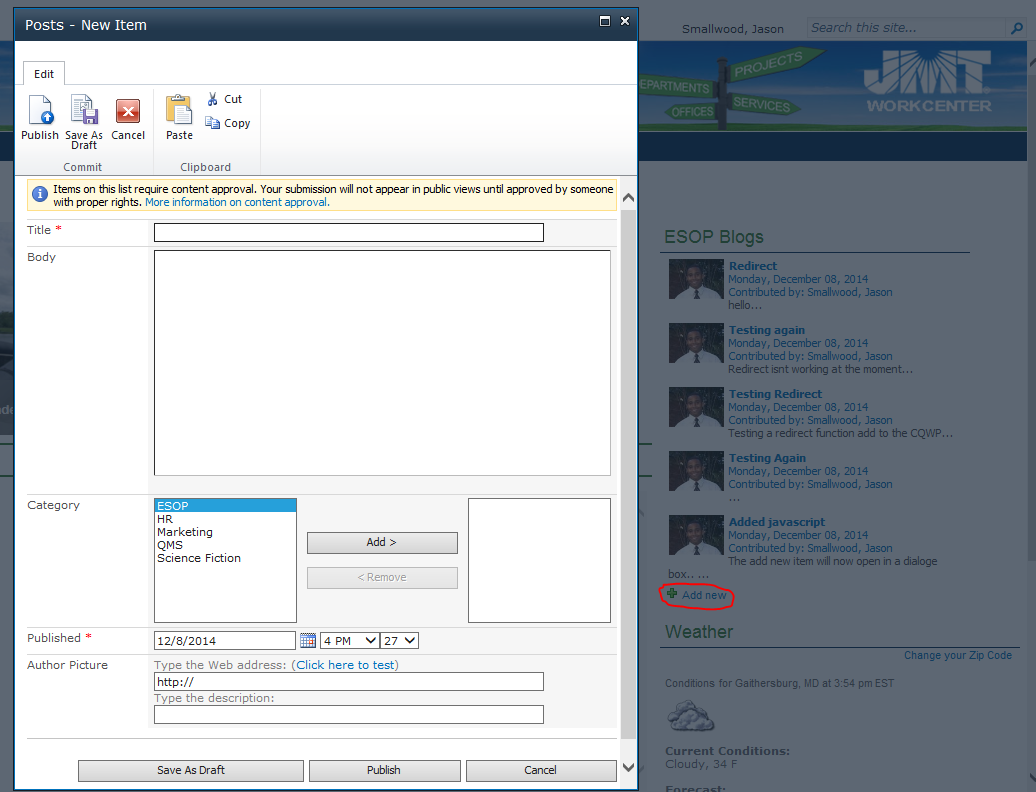
?width=650

Ah, I didn’t catch that it was a modal. I would have to look at that function, but the underlying function used to make the modal has a callback function where you could make it redirect when the modal closes. There is a function that just refreshes the page, and some of the functions that create modals call that function by default. I would recommend making your own modal function instead so you have control over the actions after the modal closes. You can find information on that in this link: SP.UI.ModalDialog.showModalDialog(options) Method.

My guess is the redirect using source= tries to occur on the modal itself.

Are there any JavaScript errors on the page. It looks like another customisation is blocking it from working correctly, do you use jQuery for example?
What I discovered is that when I remove the javascript:OpenPopUpPage the redirect works. I would prefer to have the NewPost.aspx open in the dialogue pop-up as it looks nicer. Is there anyway of getting this to work?
Thanks Paul, but I tried that and it will add the post but it will not redirect for some reason. I wonder if I would have to modify the NewPost.aspx directly? Any ideas? Should I remove the javascript:OpenPopUpPage ?
<a href=”javascript:OpenPopUpPage(‘http://tst-workcenter.jmt.com/JMTBlog/Lists/Posts/NewPost.aspx?Source=http://tst-workcenter.jmt.com/JMTBlog’);”><img src=”/Style%20Library/Images/AddNewItem.PNG” alt=”nothing” border=”0″></img></a>
